Was this article helpful?
102 people found this helpful
To delete your account, follow these steps:
Scroll down to the footer of the website and click Delete My Account in the Customer Service section.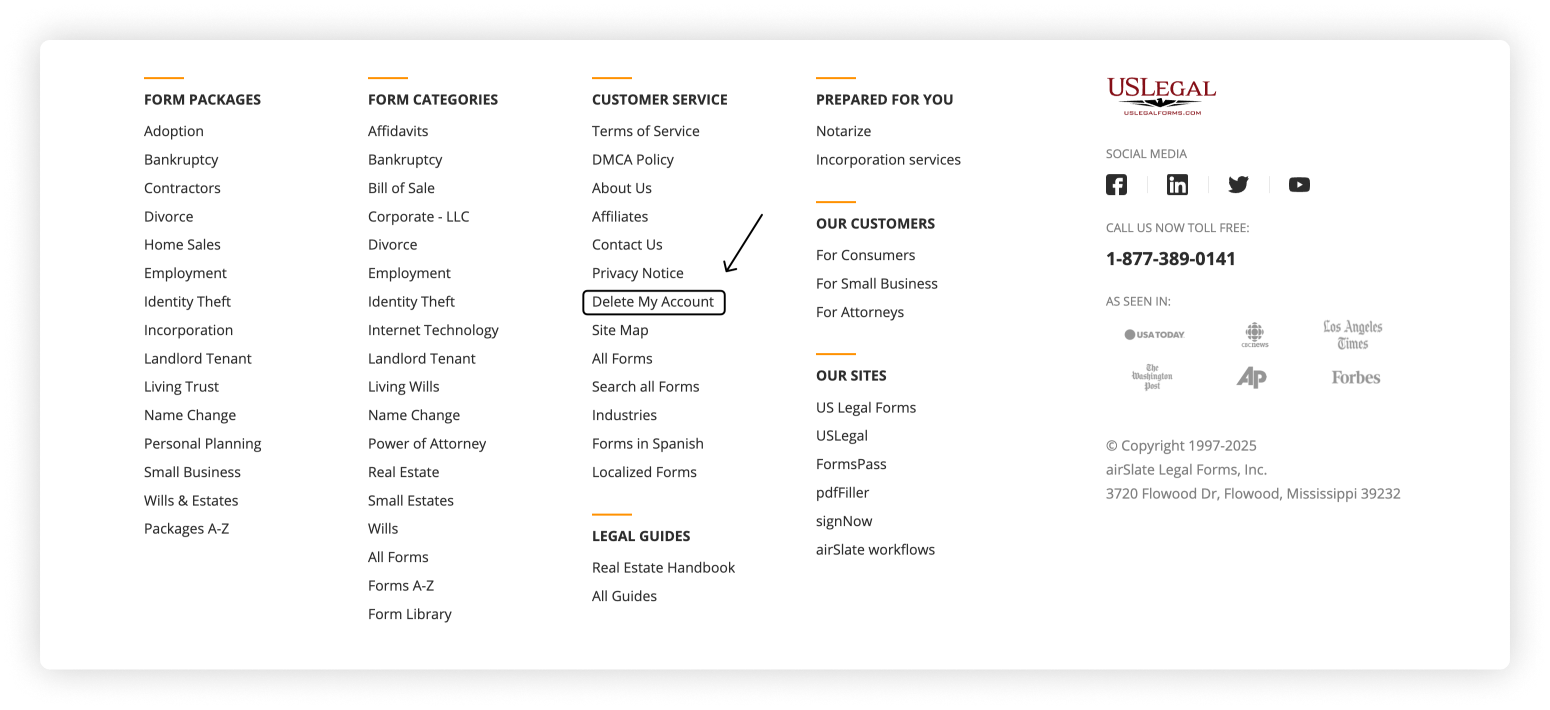
Enter your email address and submit the request.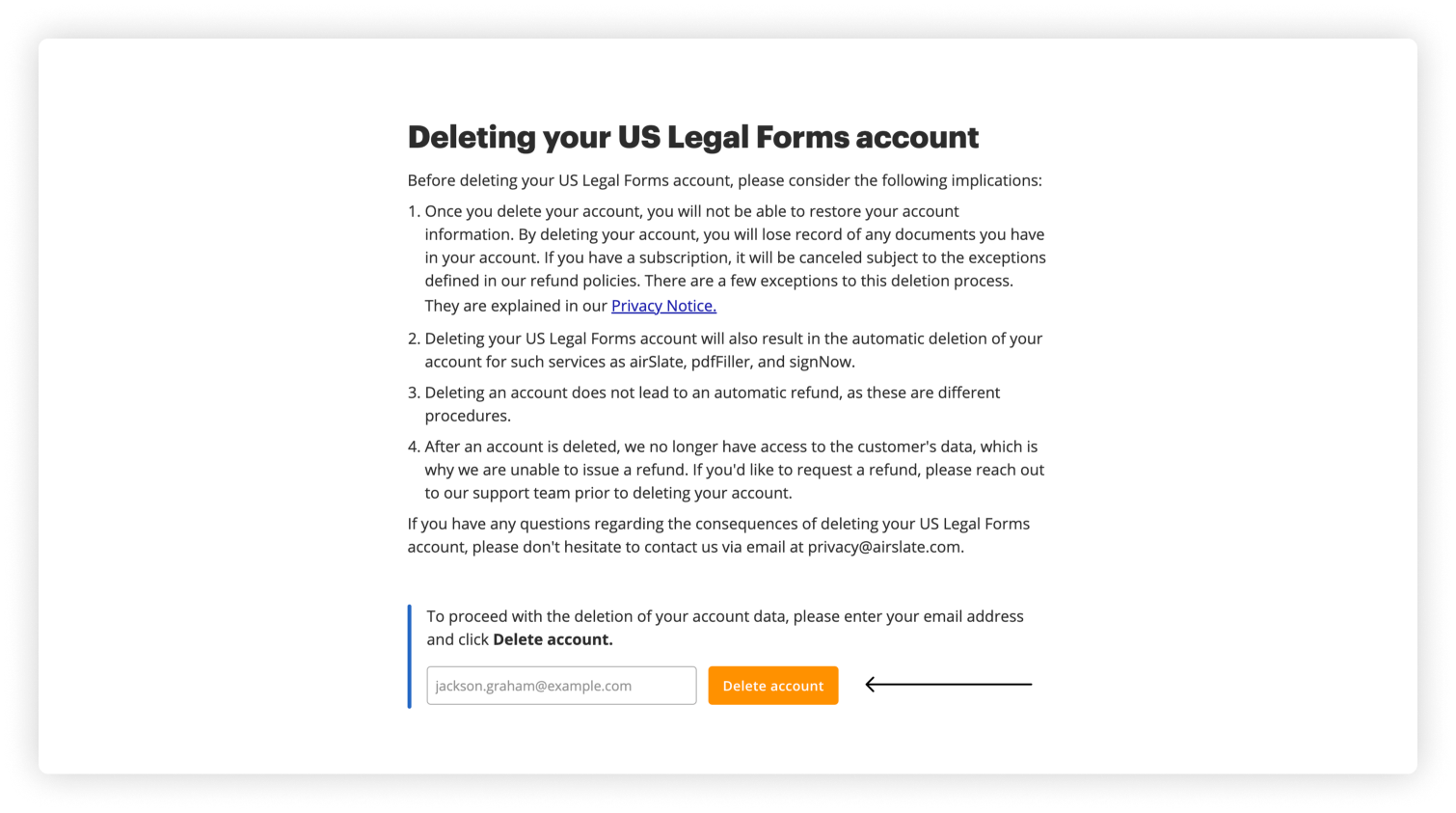
Check your inbox for a confirmation email and click the link inside to confirm the deletion.
Once confirmed, your account will be permanently deleted.
Tip: If you don't see the reset email in your inbox, check your spam folder, as it might end up there.
Was this article helpful?
102 people found this helpful