Was this article helpful?
64 people found this helpful
To review your account information, you first need to log in to the product. You can log in using the Google One Tap option, available on all website pages in the top right corner as a modal window, or through the Login page.
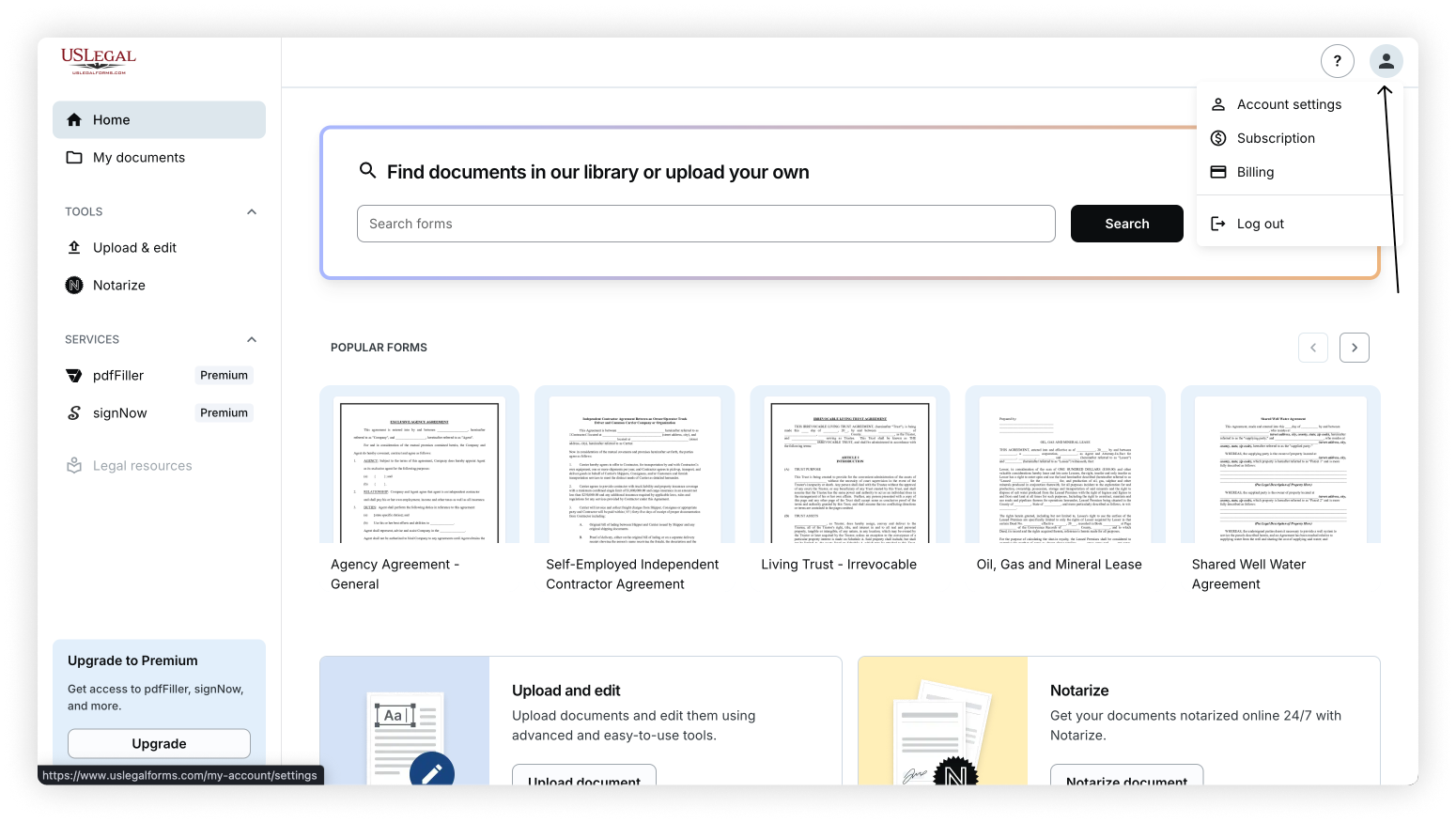
Once logged in, you'll be directed to the Home page of your My Account portal. From here, click the user account icon in the top right corner of the header. A dropdown menu will appear, giving you access to the following pages:
Account settings – Review your personal details, update or verify your email address, and change your password if needed.
Subscription – View your subscription information.
Billing – View and update your default payment method.
Was this article helpful?
64 people found this helpful