Was this article helpful?
25 people found this helpful
With US Legal Forms, you have the flexibility to manage legal forms straight from your account.
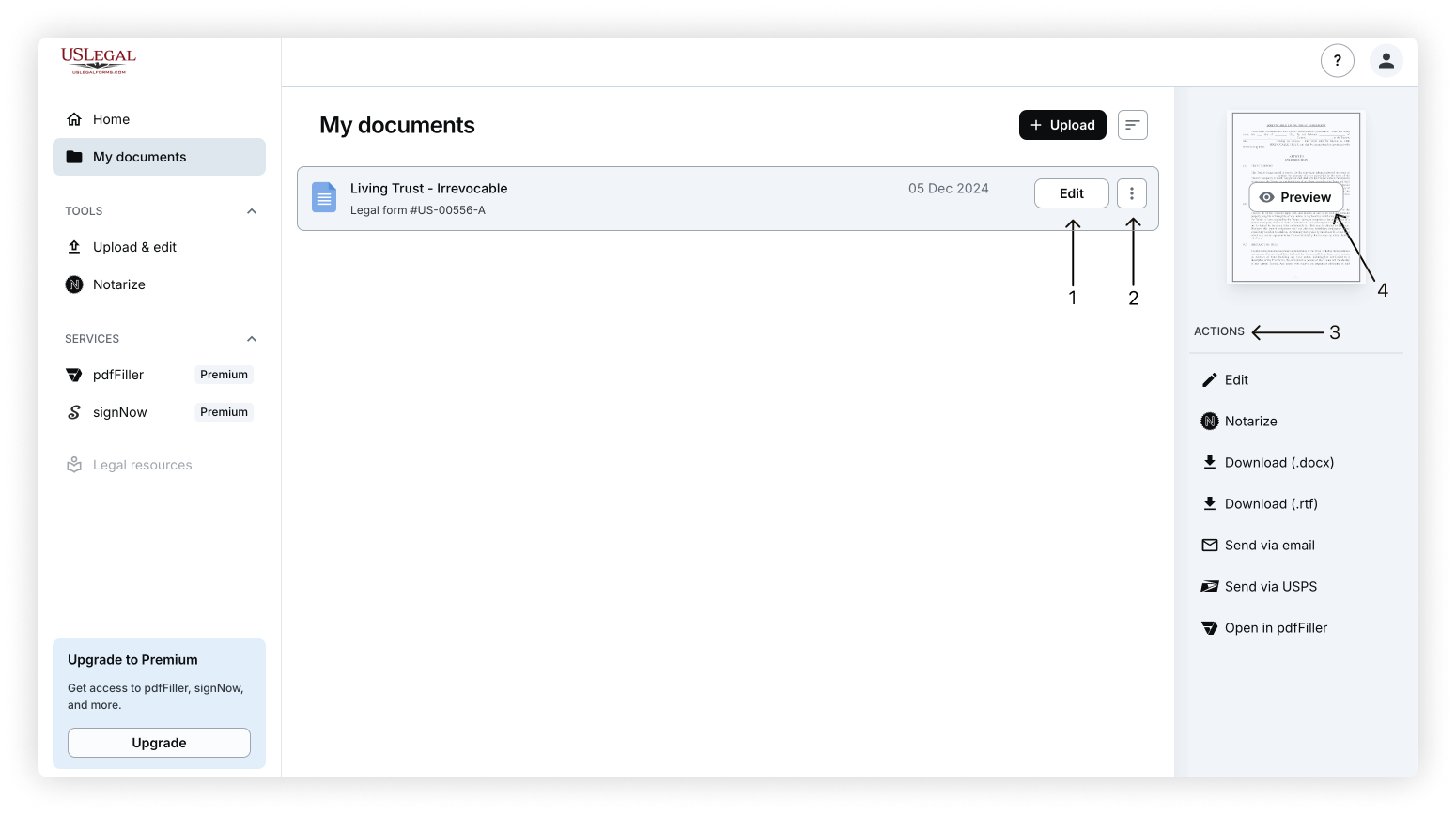
Once logged in, navigate to My documents. You can access export options in several ways:
Click the Edit button available on the document's thumbnail to open the form in the online editor.
Use the three dots button to access export options.
Select a document in the list, and the Actions menu with export options will appear automatically.
Open the document preview, where you can find additional export actions.
Note: Some documents, such as form packages, are provided as ZIP files and cannot be edited directly. To edit individual files, upload them to My documents using the uploader.
Modify your form by selecting the Edit option:
For both PDF and Word documents, the editors will allow you to download the document or access other export options when you click Done or select the dropdown menu.
PDF documents offer editing tools to adjust the content, while DOC/DOCX documents open in a Word-compatible editor. After making changes, click Done to select your export or download options.
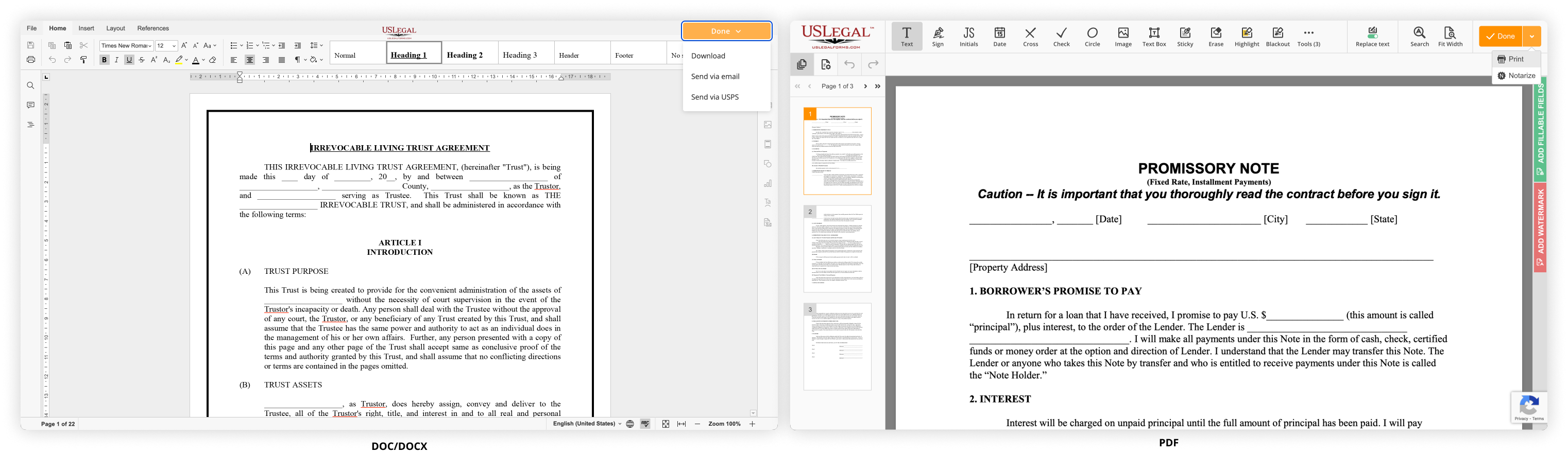
To print your form:
For PDF documents, select the Print option from the Done dropdown in the top-right corner of the editor.
For Word documents, use the File menu or the printer icon in the top-left corner of the editor.
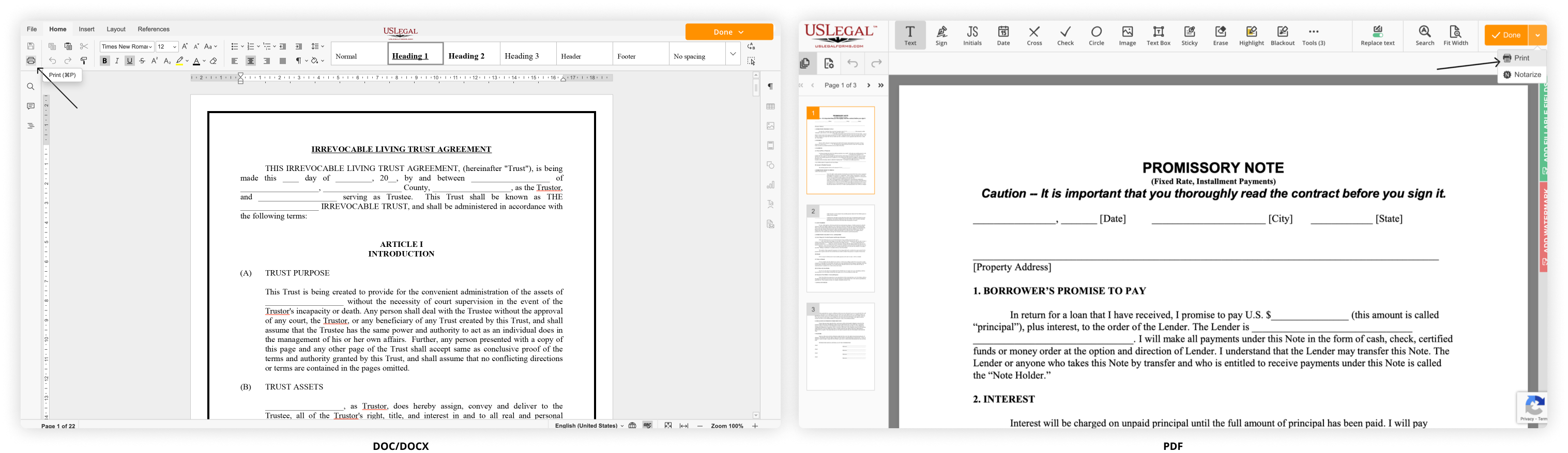
To share your document electronically:
Open the form and make any necessary edits.
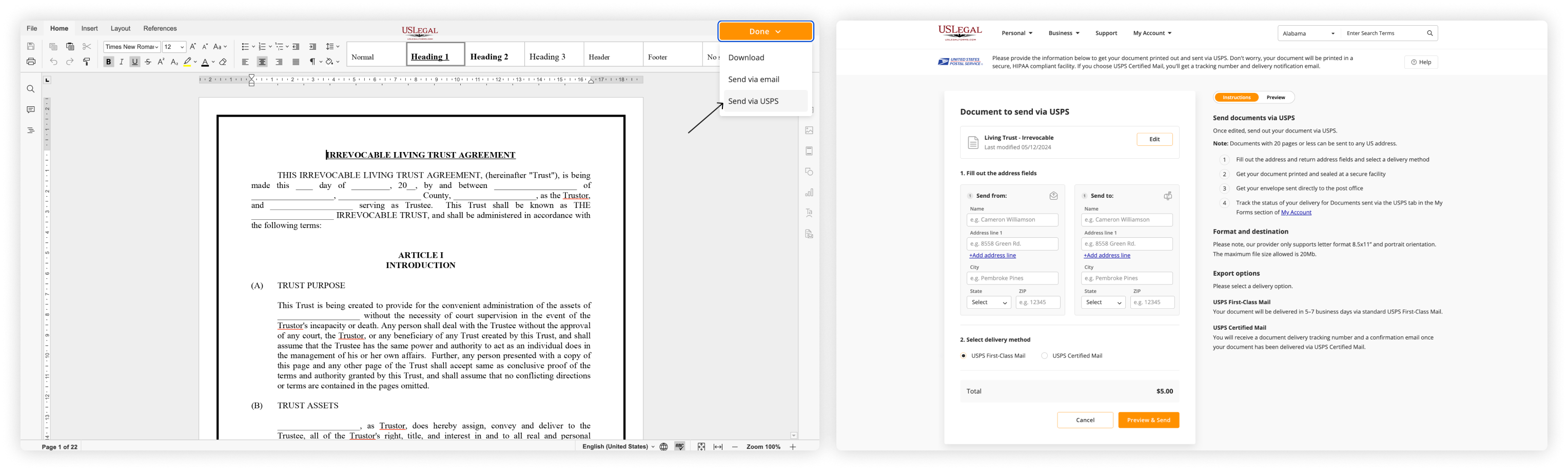
Click Done and select the Send via email option from the Done dropdown in the top-right corner of the editor.
Add up to 5 recipients, customize your email, and click Send document.
Note: This feature is only available for DOC/DOCX files.
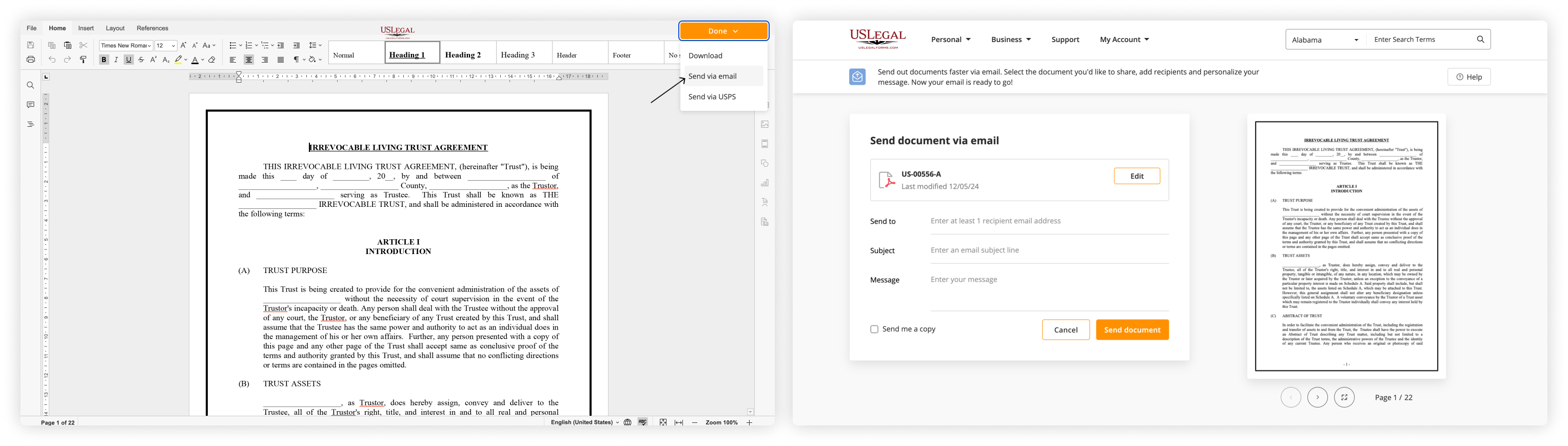
Send a hard copy of your form directly via USPS:
Open the form and make any necessary edits.
Click Done and select the Send via USPS option from the Done dropdown in the top-right corner of the editor.
Enter your contact and recipient information.
Select the delivery method, then click Preview & Send.
Note: Only DOC/DOCX files are supported for USPS delivery. Sending via USPS is a paid feature, and a fixed fee will apply.
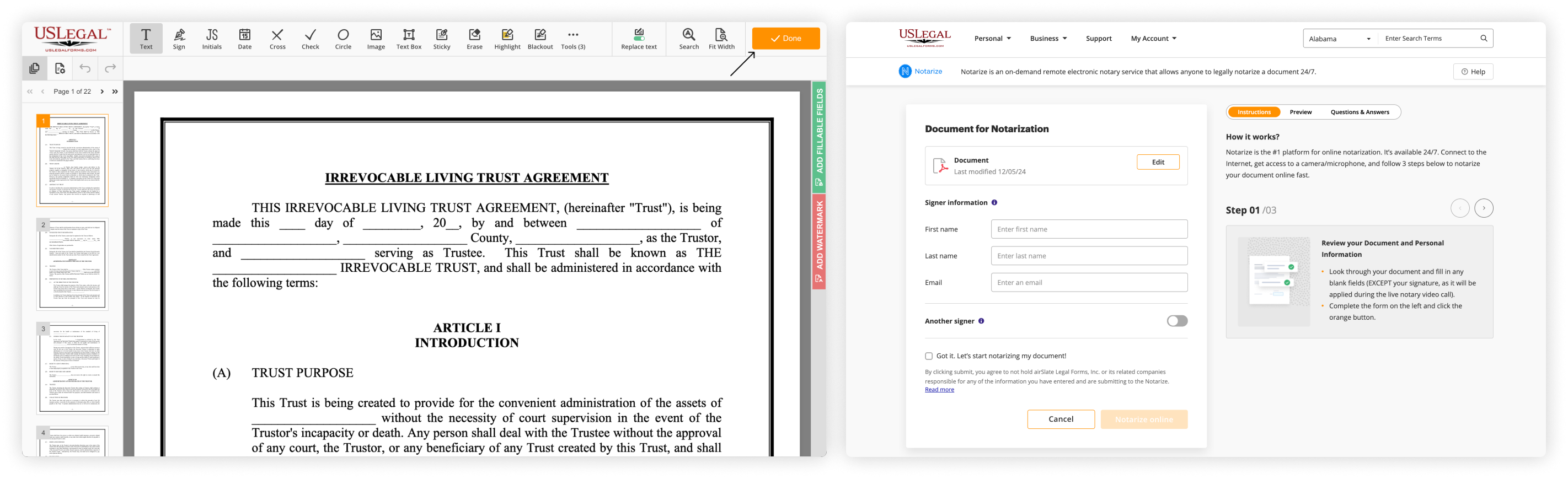
Get your document notarized online in a few easy steps:
Open the form in the editor and make the necessary adjustments.
Click Done in the top-right corner.
Provide your contact details and complete the required fields.
Connect with a notary to finalize the notarization.
Note: Notarizing a document is a paid service. Once you complete the process, the third-party notary will charge you for this service.
Was this article helpful?
25 people found this helpful