Was this article helpful?
60 people found this helpful
Need to find and save a legal form?
If you already have a subscription, log in and download any form by accessing the US Legal Forms library. The Download button will appear on every form you view. Moreover, you’ll be able to access previously downloaded forms in the My Forms tab of your account.
If you don’t have a subscription yet, here’s how you can download a form:
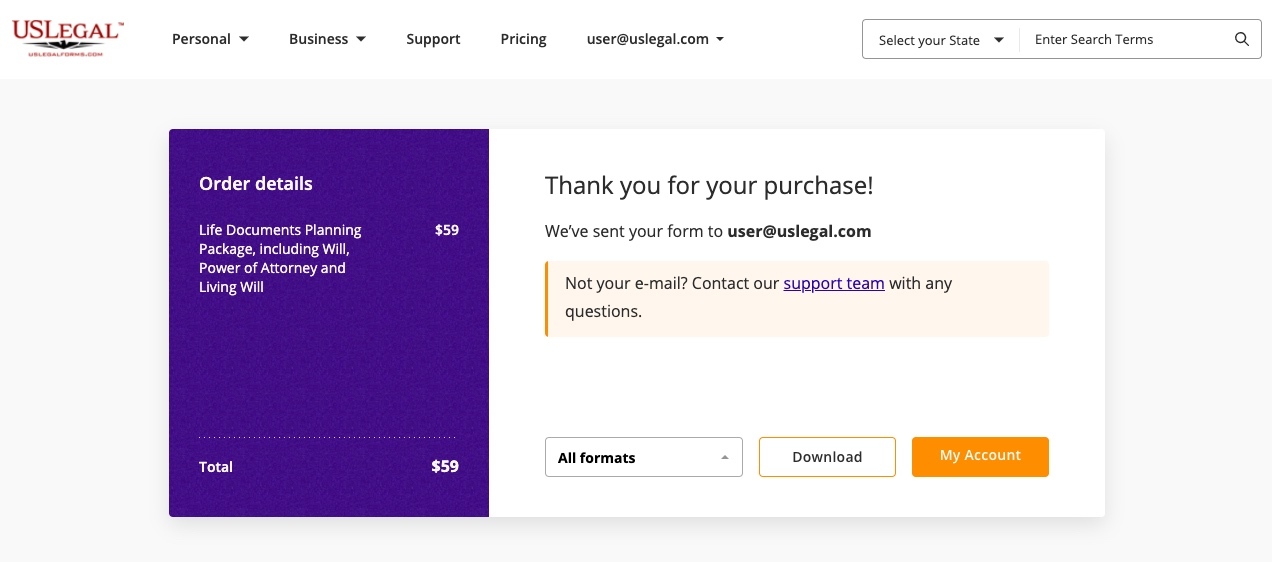
All you have to do is purchase a form, you’ll then see the Thank you page with the Download button. Your form will be saved to your device’s default Downloads folder and can also be accessed in the My Forms tab of your US Legal Forms account.
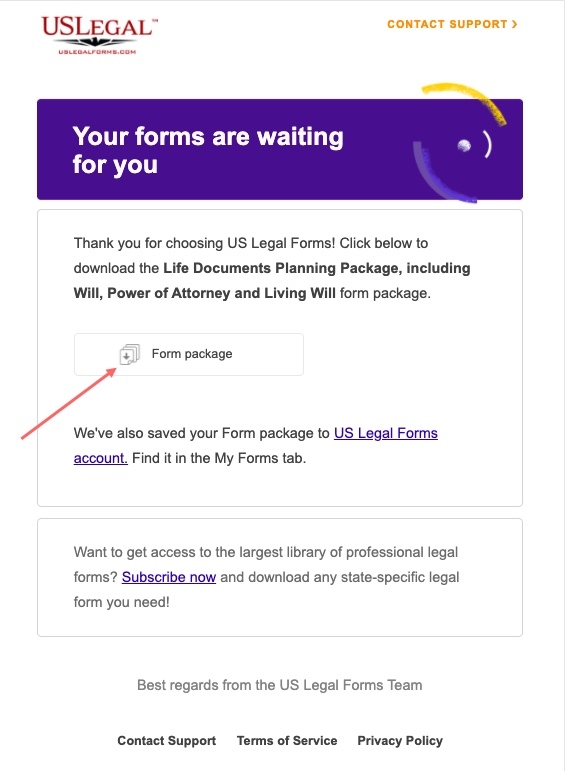
Check your email after purchasing a form and click the download link.
Open the My Forms tab in your account and select one of the previously purchased forms. Click on it to view a preview, select the format, and click Download.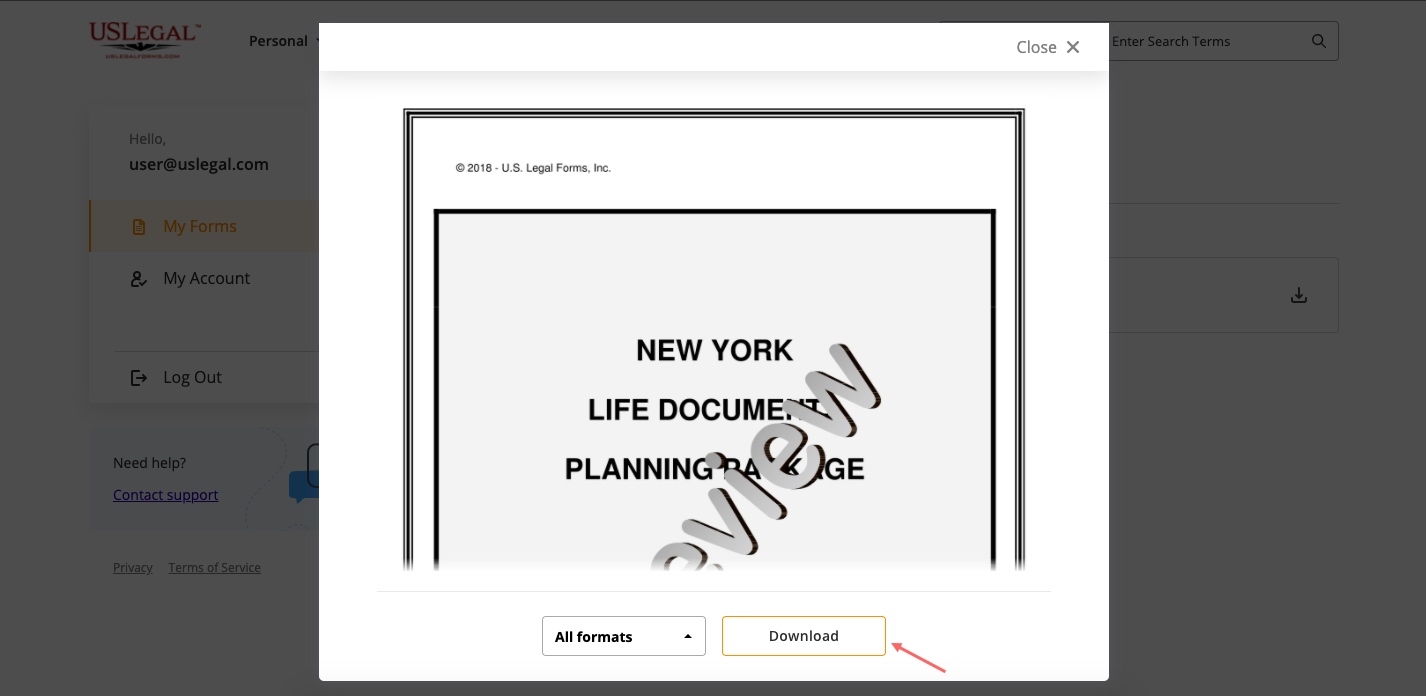
OR
Use the Download icon near any of your purchased forms.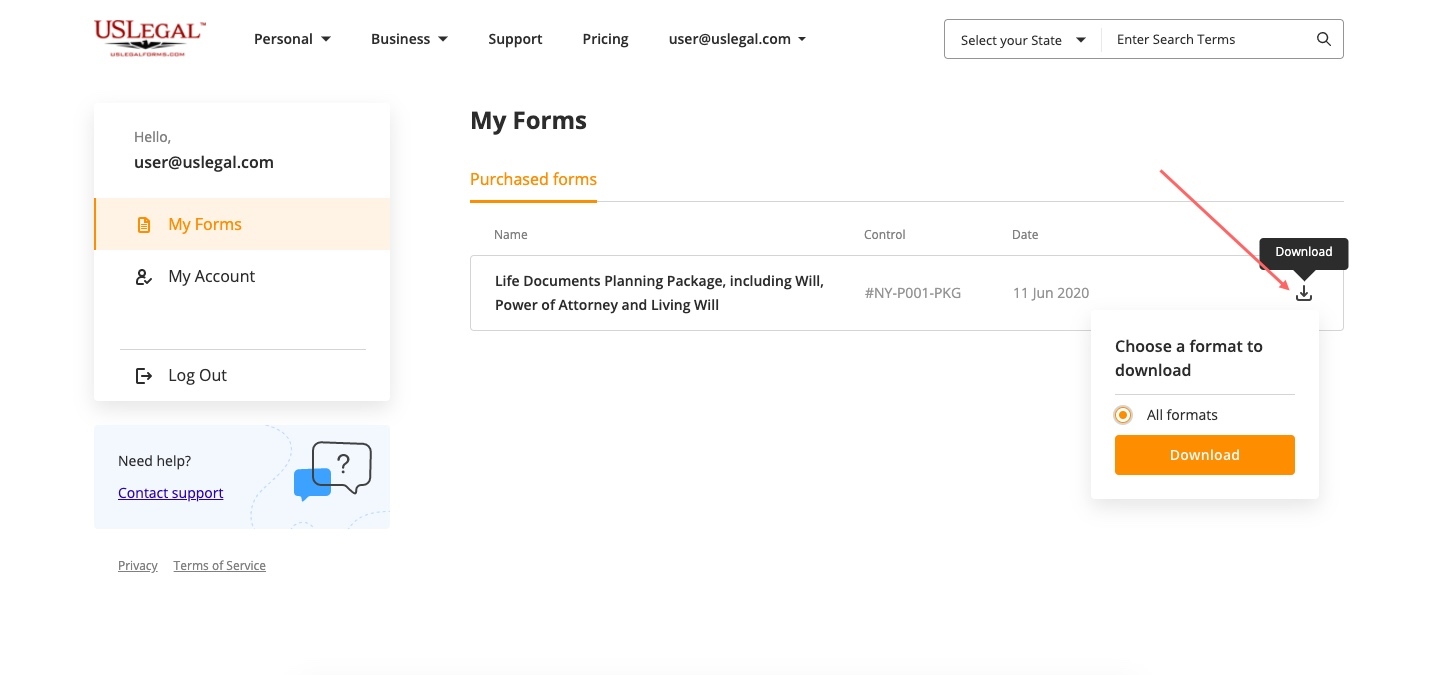
Download any of your purchased forms in one click.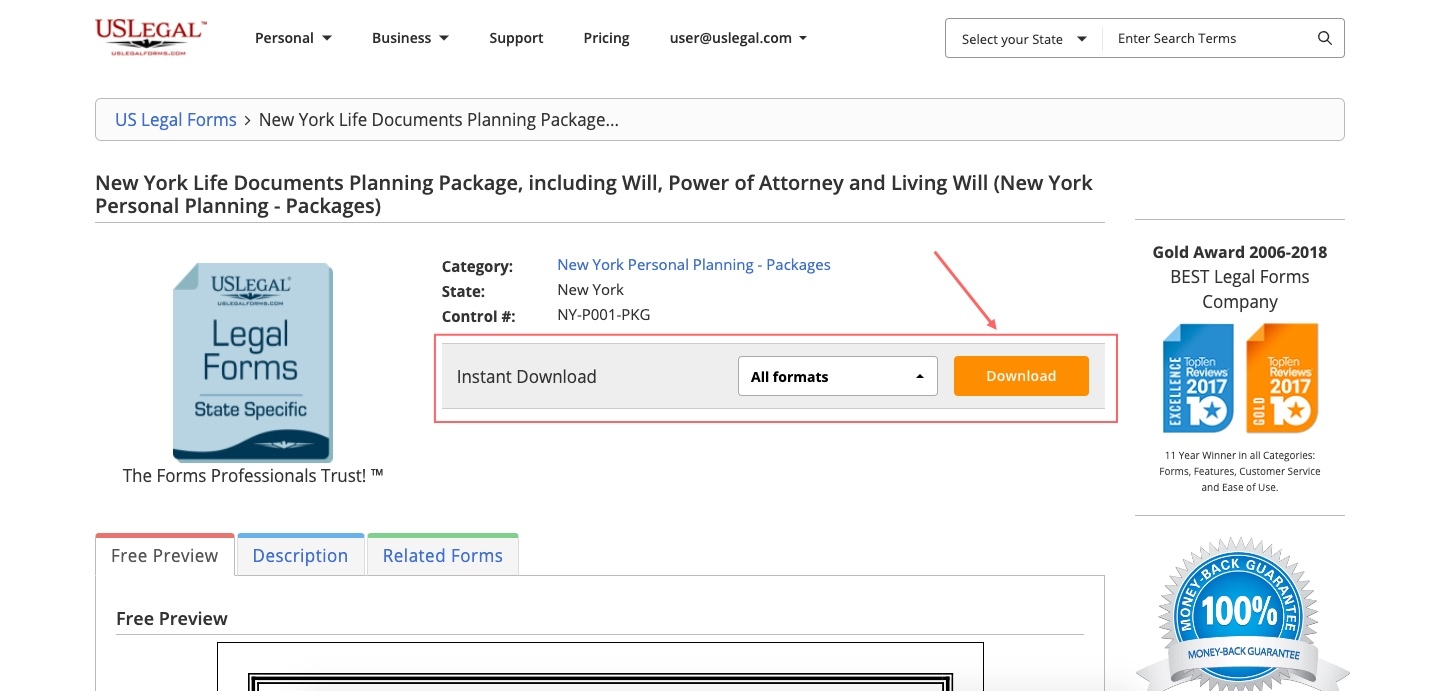
If you can’t find the purchased form, try contacting support and we will send your form as an attachment.
Was this article helpful?
60 people found this helpful