Was this article helpful?
40 people found this helpful
You can edit your forms in two ways:
Search for a form, browse categories, or explore the catalog.
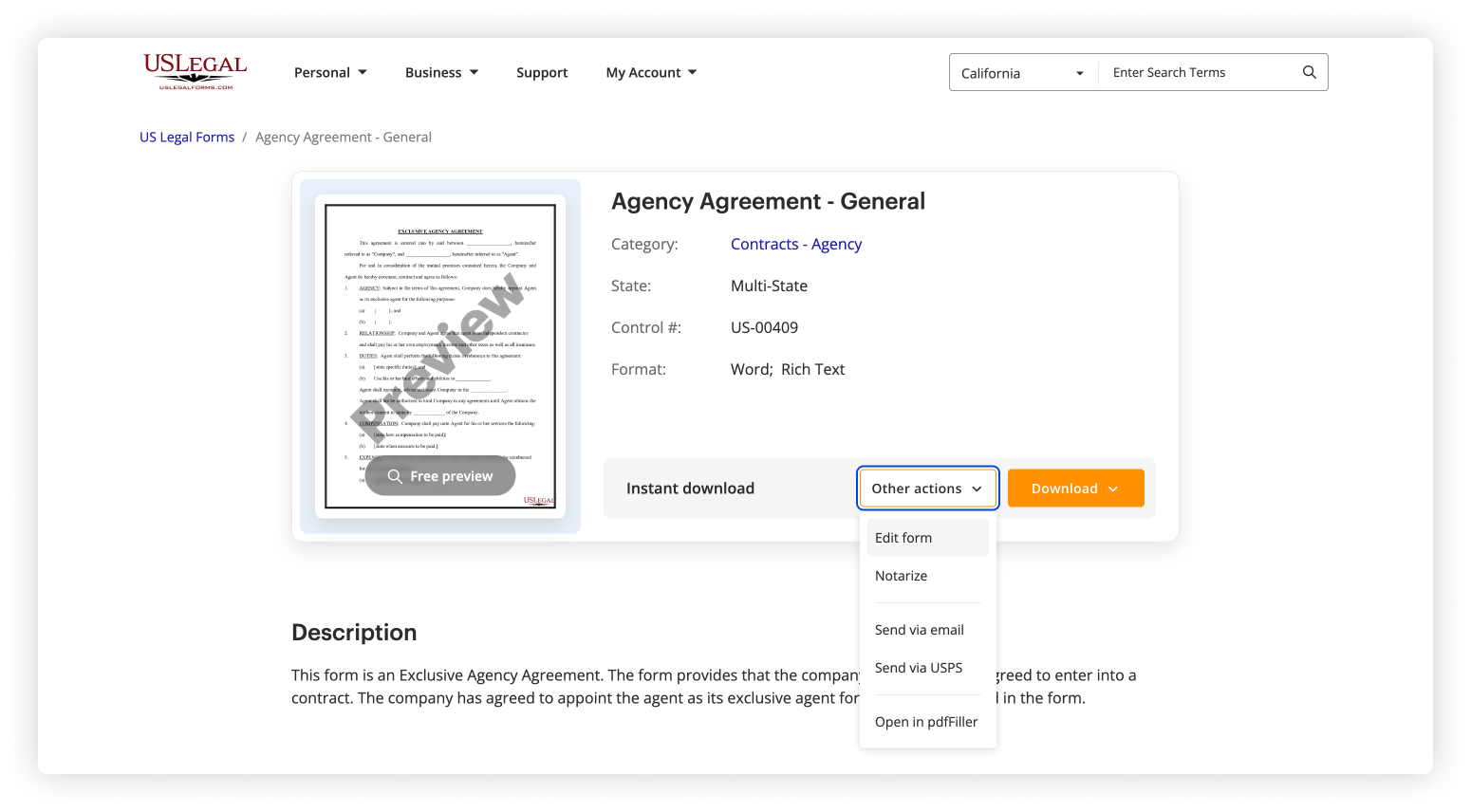
On the form page, you'll see two buttons: Download and Other actions.
Click Other actions, then select Edit to open the form in the editor.
Log in to your account and go to My documents section.
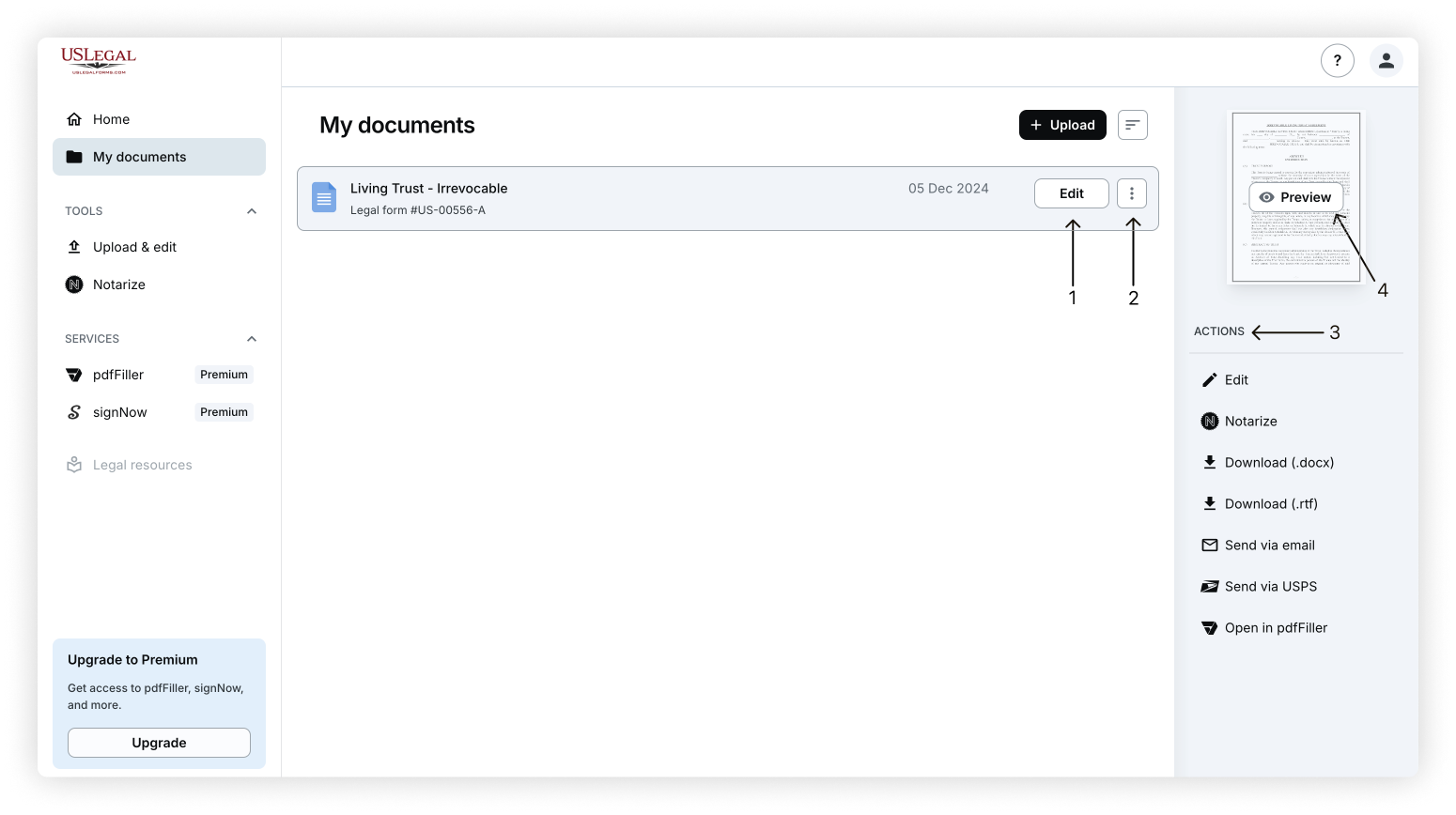
Open the form by clicking the Edit button on the document thumbnail. Or, click the three dots button and select Edit from the dropdown.
PDFs – Use the online editor to modify content.
DOC/DOCX files – Open in a Word-compatible editor.
When done, click Done button and choose how to export:
Download the updated file
Print the form
Send via email (DOC/DOCX only)
Send via USPS (DOC/DOCX only, paid service)
Notarize online (paid service)
Note: Some of our legal forms, like form packages (ZIP files), cannot be edited directly. To edit individual files, upload them to My documents using the document uploader.
Was this article helpful?
40 people found this helpful